How to set up Cloudflare pay per crawl, step by step
Updated August 6, 2026
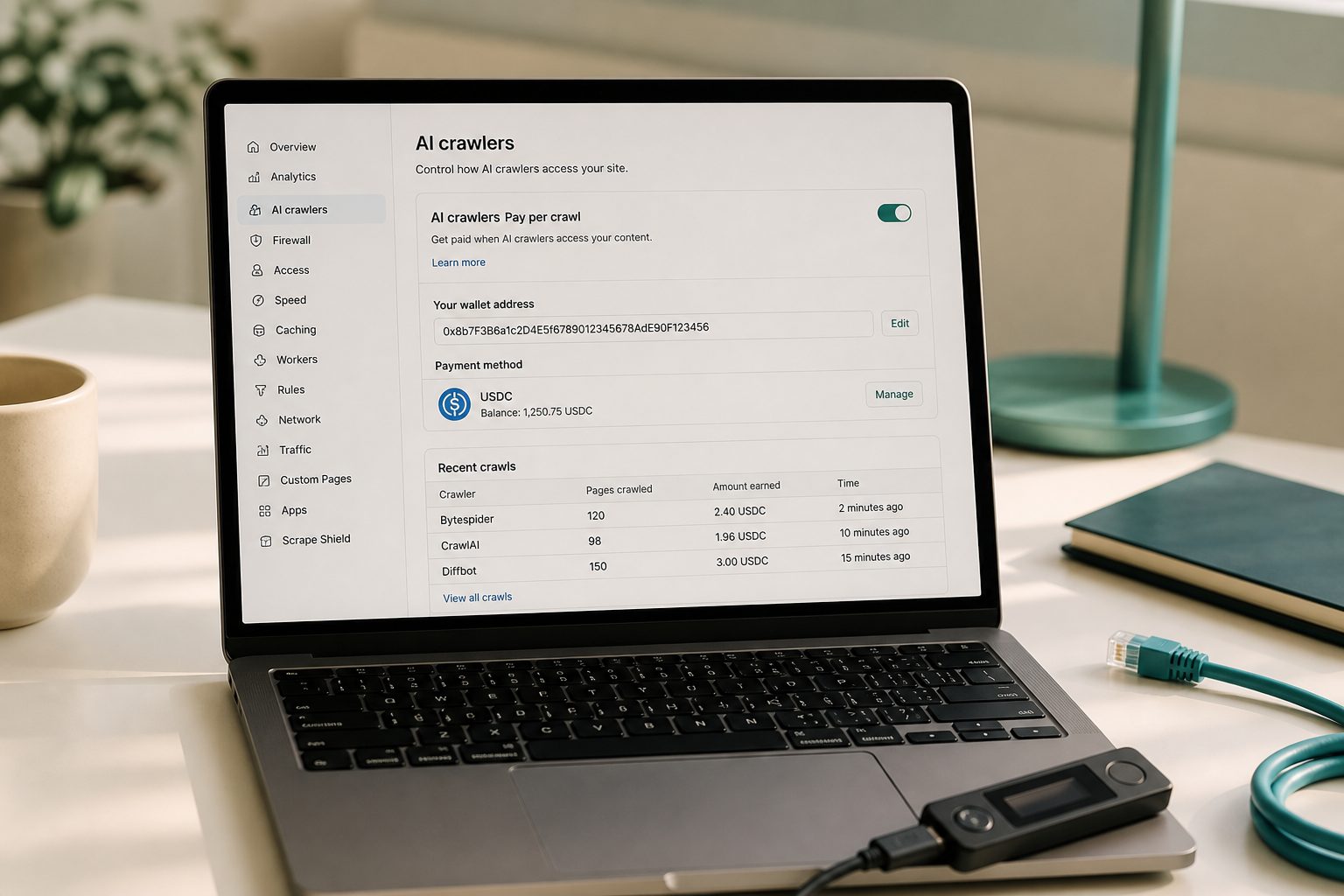
You open the Cloudflare dashboard, click into a domain you haven't touched in months, and there's a new tab sitting between Security and Analytics called AI Crawl Control. That's where this whole decision now lives, and it's simpler to configure than the headlines about it suggest.
Cloudflare's pay per crawl system charges AI bots for fetching your pages instead of letting them scrape for free or blocking them outright. It's a genuine middle option, and as of mid-2026 it sits inside a bigger panel that also handles plain allow/block rules and the robots.txt "content signals" Cloudflare added this year. If you haven't read the background on why this matters, the overview on getting paid when AI reads your site covers the policy shift. This page is just the walkthrough: where the toggle actually is, what changes on September 15, 2026, and what happens if you never click anything.
Where the setting actually lives
In the dashboard, go to a domain, then AI Crawl Control, then the Payments tab. There's a Pay Per Crawl card with an Enable button. Click it, type in a per-crawl price, and save. That's the whole flow for the basic version. One prerequisite trips people up: your domain's visibility has to be set to "Visible" under Account Settings before the Enable button will do anything, so check that first if it seems stuck.
Cloudflare's own documentation lists the price floor at $0.001 USD per successful crawl, meaning a request that actually returns your content with a 200 response. You can set one flat rate for the whole domain, or go further with the advanced options added in June 2026: exempting specific URL paths from charging through Configuration Rules, or setting dynamic prices per request using a `crawler-price` header from your origin server or a Cloudflare Worker. Most small sites will never need that layer. A flat rate is fine to start.
To actually collect the money, you connect a Stripe account for payouts. Charges post when a crawler sends a valid payment header and gets a 200 back, not just for any hit that bounces off a paywall.
What flips by default on September 15, 2026
This is the part that gets oversimplified. Cloudflare isn't blocking all AI crawlers on that date. What changes is the default treatment of two of three crawler categories it now distinguishes: Search (bots indexing you for search results), Agent (bots fetching a page live on behalf of a person, like a chat assistant answering a question), and Training (bots pulling content to train models). Starting September 15, Training and Agent crawlers get blocked by default, but only on pages that carry ads. Search crawlers stay allowed. The logic Cloudflare gives is that an ad-monetized page is a page you're already trying to make money from human eyeballs, so unpaid bot access to it gets cut off unless you say otherwise.
Who gets the new default automatically matters more than the date itself. It applies to brand-new Cloudflare customers, to new sites added by existing customers, and to every existing site on the free plan. If you're on a paid plan with a site that predates September 15, your existing allow/block settings carry over unchanged. Nobody on a paid plan gets switched over without acting first.
| Situation | What happens if you do nothing |
|---|---|
| Free plan, existing site | Training and Agent bots blocked on ad pages from Sept 15; Search bots still allowed |
| Free plan, new site added after launch | New defaults apply immediately on setup |
| Paid plan, existing site | Current settings stay as they are, no forced change |
| Any plan, new Cloudflare account | New defaults apply from day one |
If you want to keep whatever setup you already have, the opt-out is in Security settings, and Cloudflare says it needs to be done before the 15th. Doing nothing isn't neutral for everyone. It's neutral if you're an existing customer on a paid plan; it's a real change if you're on the free plan.
Free vs. paid, beyond the default question
The AI Crawl Control panel itself, meaning the basic allow/block/audit view showing which bots are hitting your site and whether they respect robots.txt, is available on every plan including free, and Cloudflare says it needs no configuration to start reporting. I could not find anything in Cloudflare's documentation restricting the Pay Per Crawl monetization feature to a specific paid tier either; the Enable button appears to be there regardless of plan. The practical difference between free and paid, as far as I can verify, isn't feature access. It's who gets opted into the stricter default without asking.
A separate, newer thing: the Monetization Gateway
Worth knowing so you don't confuse the two: Cloudflare opened a waitlist on July 1, 2026 for something called the Monetization Gateway, which uses the x402 protocol to charge for APIs, datasets, and AI tool calls generally, not just page crawls, and settles in stablecoins rather than a Stripe invoice. Pay per crawl and the Monetization Gateway are related but distinct products at different stages of rollout; the gateway is waitlist-only with no public pricing yet, while pay per crawl is live and configurable today. If your interest is the broader x402 standard rather than this specific crawler toggle, that's covered separately.
Open your dashboard now, click into AI Crawl Control on one domain, and check what category your current traffic falls into before you decide whether Training and Agent bots losing default access to your ad pages is a problem for you or exactly what you wanted.
One unrelated but related note: if you're a creator rather than a publisher weighing crawler fees, the payment rails on this site work the other way too. A non-custodial tip jar link lets people pay you directly without a middleman holding funds, and Meta's move to pay some creators in USDC through Stripe is a separate, unrelated payout channel worth checking if you're eligible.
Quick answers
- How do I set up Cloudflare pay per crawl?
- In the Cloudflare dashboard, choose the AI-crawler action, set a price if you charge, and provide a wallet that can receive the settlement asset.
- Do I need a crypto wallet?
- If you charge, yes, or whatever payout destination Cloudflare lists. If you only block, you may not.
- Will this replace ads?
- Unlikely for a small blog. Treat it as a control, not a salary.