How to accept crypto tips on Twitch
Updated August 6, 2026
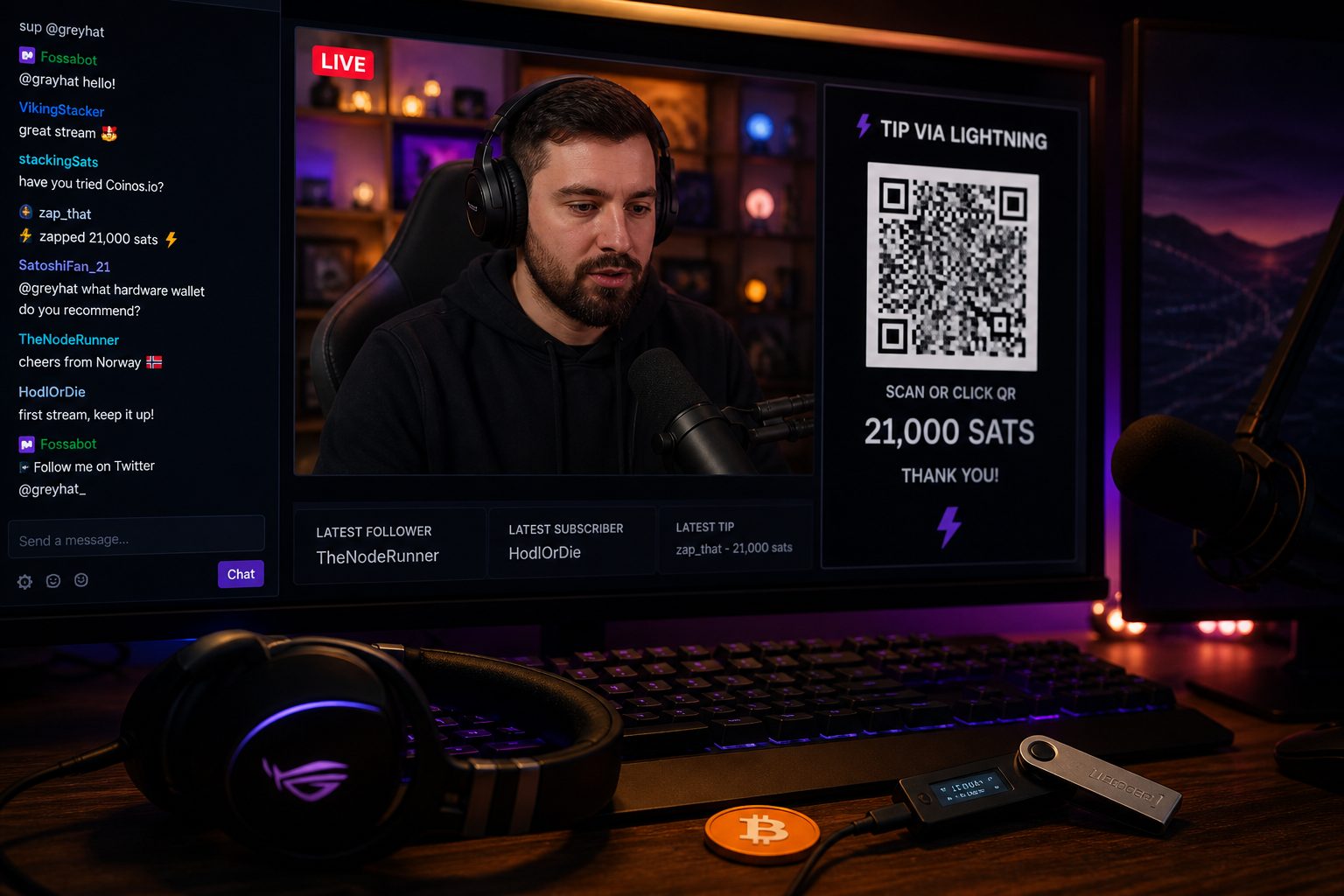
Twitch has no built-in crypto tipping, so you build your own with a non-custodial payment link, a QR code in your panels, and a plain-language line about how it works.
Twitch's own tipping rails run through Bits, subscriptions, and whatever your PayPal or Stripe-linked "Support" button uses. None of that touches crypto. If you want stablecoin or Bitcoin tips, you're assembling the setup yourself: a wallet address you control, a way to turn that address into a scannable code, and a spot on your channel where viewers actually see it. It's a weekend project, not a rebuild of your whole stream.
Start with a link and a QR code you actually control
The simplest setup is a payment link or QR code that points straight at a wallet address you hold the keys to. A tip jar generator built for this does exactly that: you paste in your own address, it spits out a QR image and a shareable link, and nothing you send ever passes through a custodial middleman. That matters more for streaming than for most creator use cases, because your audience is watching live and scanning fast. A code that just works, with no signup screen in between, is the whole point.
Generate one code per asset you're willing to accept rather than one messy multi-chain link. A separate QR for a USDC-on-Solana address and another for Bitcoin is clearer for viewers than a single code that tries to be everything.
Where to put it so people find it mid-stream
- Panels below the stream. A dedicated "Support with crypto" panel with the QR image and one line of instructions is the standard placement, and it's what most crypto-donation guides recommend as the default.
- Channel bio and About section. Not everyone scrolls your panels, so the link belongs in your profile text too.
- An on-screen overlay for donation moments. Some streamers pop the QR up briefly during a thank-you segment rather than leaving it on screen constantly, since a static code competing with gameplay tends to get ignored.
Third-party donation tools built for streamers (the kind that plug into panels or OBS overlays) exist specifically to make this less fiddly, but the core mechanic is always the same: your address, a code, a place to show it.
Fees vary a lot by network, and that changes what you should ask for
A five-dollar tip that costs the sender fifty cents in network fees is a bad experience, and the fee gap between chains is genuinely large right now. Here's roughly where things stood in early August 2026:
| Network | Typical fee for a simple transfer | Notes |
|---|---|---|
| Bitcoin (on-chain) | Roughly $0.30 to $0.80 | Fine for larger, occasional tips; clunky for small ones |
| Ethereum (mainnet) | Roughly $0.10 to $0.20 for a plain transfer | Gas has dropped a lot from its old highs, but still adds friction |
| USDC on Polygon | About $0.002 | Near-instant settlement, Meta's own creator payouts run partly on this rail |
| USDC on Solana | Well under a cent | Fast and cheap enough for micro-tips specifically |
If your audience is sending frequent small tips, steer them toward a low-fee stablecoin rail instead of Bitcoin's base chain. This is also why the direction of travel for creator payouts generally has shifted toward stablecoins on cheap networks: Meta, for instance, started paying some creators directly in USDC over Stripe's rails on Polygon and Solana starting in April 2026, and it's worth reading the details of how those USDC creator payouts work if you're curious where the bigger platforms are heading.
What Twitch's rules actually restrict here
Twitch doesn't ban you from linking an external crypto tip page. What it does police heavily is anything that reads as gambling promotion, including crypto casino sites and skins-betting links, which fall under Twitch's gambling and sponsorship restrictions. Keep your panel about receiving tips, not about pointing viewers toward a betting or casino platform, and you're on the right side of that line.
Because a tip isn't a paid promotion, it doesn't trigger the same disclosure obligations as a sponsored segment. Still, say plainly that this is a personal wallet outside Twitch's payment system: no chargebacks, no refunds, and the transaction is final once it's sent. In most places, tips you receive in crypto also count as taxable income at the value they had when you got them, so keep a simple running log of dates and amounts rather than trying to reconstruct it later.
A quick sanity check before you go live with it
Test the QR code yourself with a small amount before announcing it to your audience. Confirm the address matches what your generator shows, confirm the network label is correct (a USDC address on the wrong chain can strand funds), and confirm the panel image actually renders at stream resolution instead of turning into an unreadable blur. If you also run a blog or archive of VODs outside Twitch, it's a separate but related decision worth understanding: sites are increasingly choosing whether to charge AI crawlers that read their content, which is a different payment rail entirely but follows the same logic of controlling who pays you and how.
ACTION: Generate your QR code and payment link now with the tip jar generator, send yourself a one-dollar test tip to confirm it lands, then add the panel to your channel before your next stream.
Quick answers
- How do I accept crypto tips on Twitch?
- Put a labelled QR on the overlay or panels. Twitch Bits stay inside Twitch; a wallet QR pays an address you control.
- What should the overlay say?
- The asset and the network, large enough to read on a phone. A bare address is how wrong-chain sends happen.
- Is this the same as Twitch Bits?
- No. Bits are a platform balance. A Bitcoin or USDC QR is a payment to your wallet.