How to confirm a crypto tip arrived
Updated September 2026
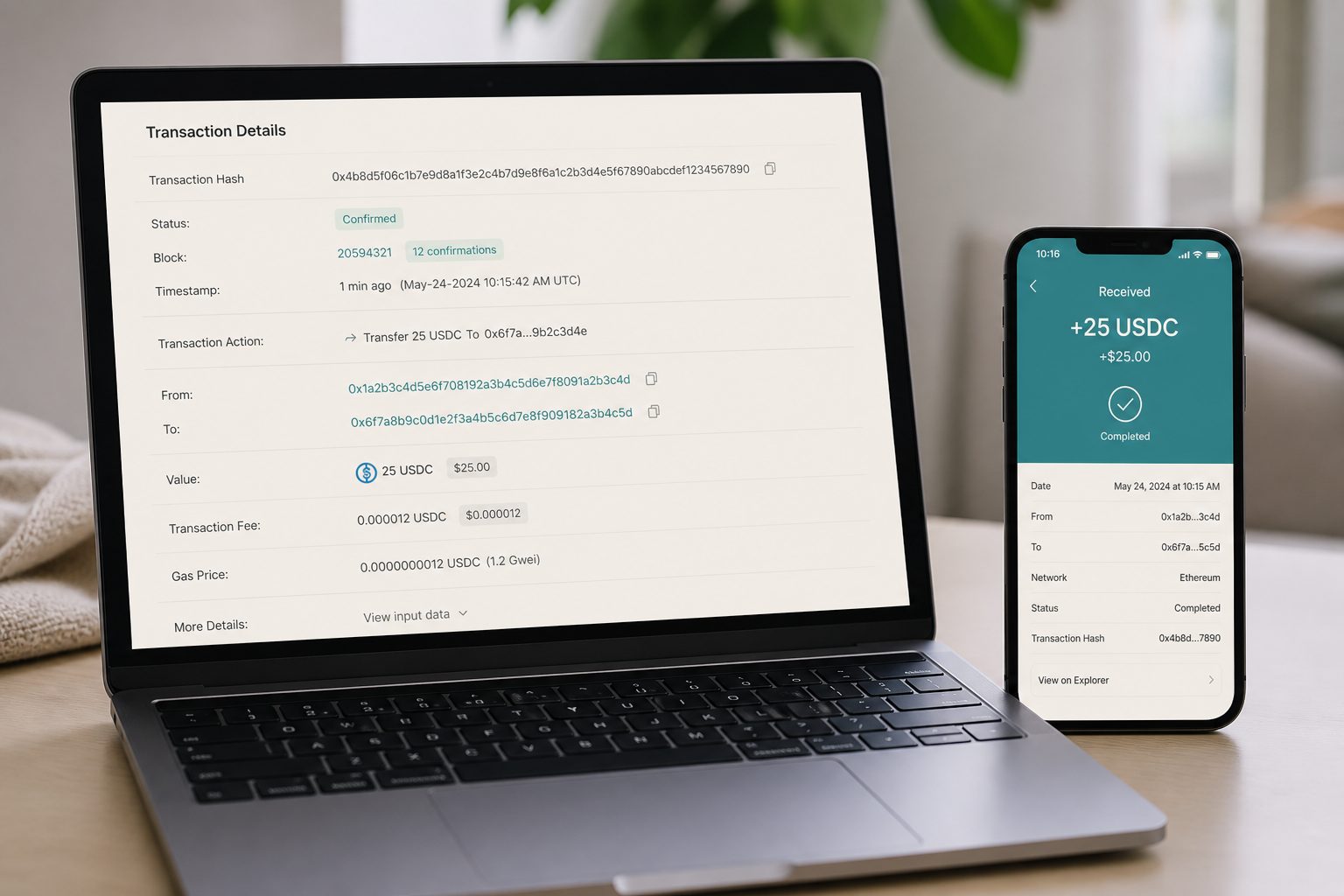
A supporter saying “I sent it” is not a receipt. A wallet that has not refreshed is not a denial. The public ledger for that network is the thing you check, and you check it on the network you printed on the tip jar.
Ask for the transaction id
Most wallets show a transaction hash after send: a long hex string. Ask for that, plus the network they think they used. If they used your payment link, the network should already be in the URI. If they typed the address by hand, they may have picked the wrong chain.
Open the right explorer
| Network you labelled | Where to paste the hash or address |
|---|---|
| Solana | Solscan or Solana Explorer |
| Polygon | Polygonscan |
| Base | Basescan |
| Ethereum | Etherscan |
| Bitcoin on-chain | Mempool.space or a Bitcoin explorer |
Searching a Solana signature on Etherscan will look like nothing happened. That is not a missing tip. That is the wrong building.
What success looks like
On an explorer you want three facts on one page: the destination matches the address you published, the token is the one you asked for (USDC is not USDT, and wrapped versions have different contracts), and the status is confirmed or finalized, not dropped. For a brand-new wallet, add the USDC mint or contract so the app lists the balance. The receive screen has to be watching that network.
If the address matches and the token is on a different chain, the money may still exist. Recovery is sometimes possible and sometimes not. Do not tell a supporter to “just send it again” until you have looked.
Lightning is a different receipt
Lightning does not use a reusable on-chain address the way a USDC tip jar does. An invoice is usually one-time. Success is the invoice showing paid in your Lightning wallet, not a Bitcoin explorer entry for that exact amount. If you advertised Lightning and they sent on-chain Bitcoin to a different address, that is a different payment.
This is general information, not financial advice. Explorers can be delayed. If a large amount is missing, stop and get help from someone who can read the hash with you.
Quick answers
- How do I confirm a crypto tip arrived?
- Ask for the transaction hash and check it on the explorer for the network you labelled: Solscan, Polygonscan, Basescan, Etherscan, or mempool.space.
- The sender says they paid but I see nothing.
- They may have used the wrong chain. A Solana signature will not appear on Etherscan.
- How do I confirm a Lightning tip?
- The invoice should show paid in your Lightning wallet. Lightning is not the same receipt as an on-chain Bitcoin explorer entry.