The merch table is a labelled piece of paper
Updated September 2026
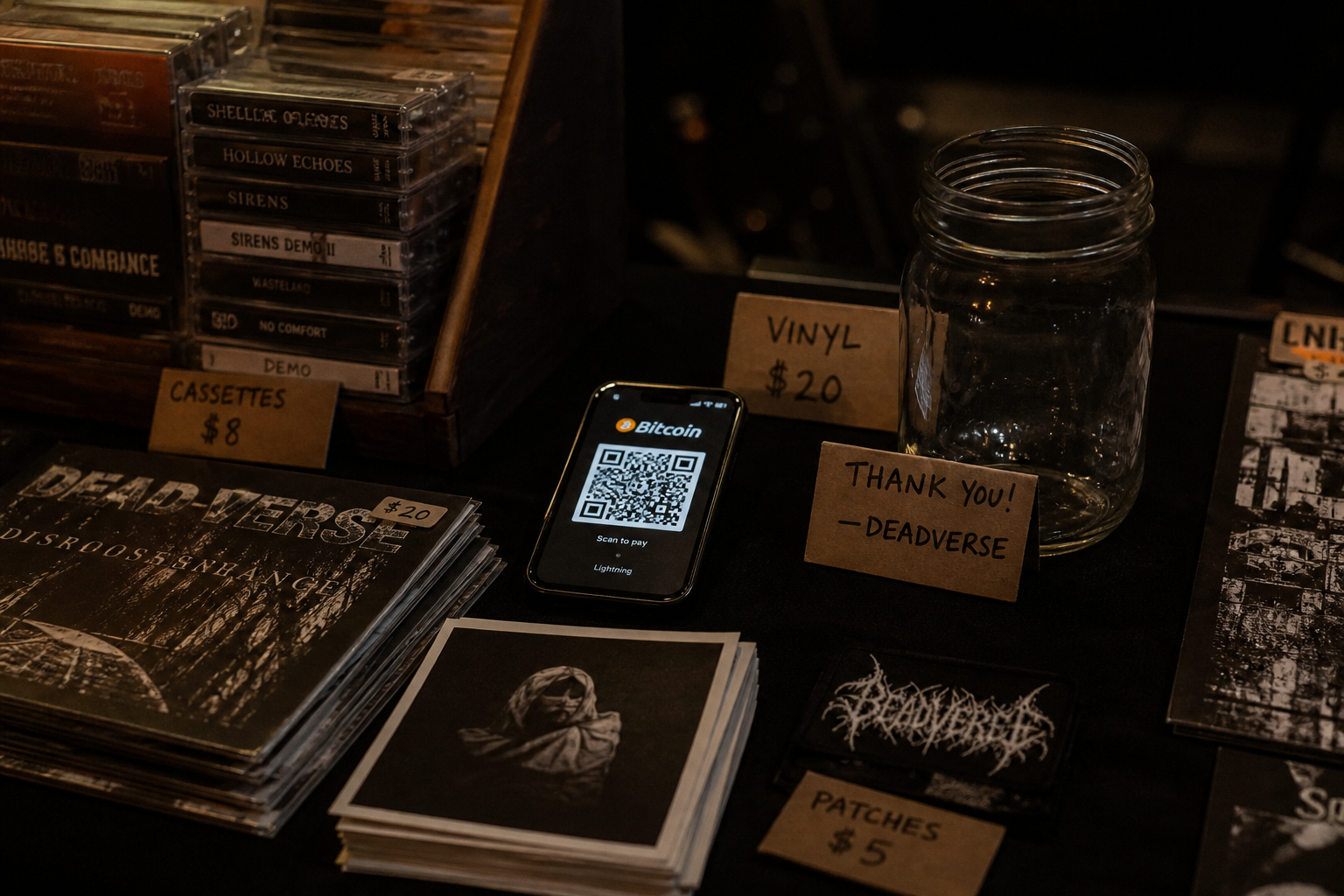
In person, people will scan whatever is largest. If that code opens Linktree, you have built a second queue at the table. Encode the wallet, label the chain, and keep cash as the fallback.
Not a page QR
Bio tools generate a QR that opens the bio. That is useful on a poster. It is the wrong code on a merch table. Use the generator so the pixels encode a payment link. The Linktree guide is the same split: page code and wallet code are not interchangeable.
Print and light
A phone screenshot under a clip lamp will fail when a security light hits the glass. Print the QR at least 8 cm across on matte paper. Put it on a stand, not flat on black cloth. If you use a phone as the display, disable auto-lock and raise brightness. Test the scan from a second phone at arm's length.
One network on paper
Write “USDC, Solana only” or “BTC on-chain” in letters larger than the URL. People in a queue will not read a paragraph. Lightning invoices expire; do not print a stale Lightning invoice as if it were a static address. If you want Lightning, run a live invoice on the phone and say so out loud.
After the show
Confirm the first tip on an explorer before you tell the room it works — confirmation is still a hash, not a vibe. Take the paper down so tomorrow's venue does not inherit last night's address. If you lose the seed that controls the table wallet, that is not reversible from this site.
Quick answers
- Can I use my Linktree QR at the table?
- Not if you want the scan to be the payment. Linktree's code opens the page.
- Should I print a Lightning invoice?
- Only if you can refresh it. Printed Lightning invoices expire. On-chain Bitcoin or a labelled USDC address is the static option.
- Do I need cash as well?
- Yes. Phones die, apps fail, and some people will not scan anything.